Nivid Brand Logo

Web Services

  • Web Design
  • Web Development
  • Web Hosting
  • Web Audits
  • Email Hosting
  • Web analytics

PC Services

  • Servicing
  • Maintenance
  • PC Assembly
  • PC Upgrades

IT Consulting

  • Overview
  • Transfer to a new device
  • Backup solutions
  • Software-based data recovery
  • Password management

Hardware Showcase

  • Maintenance
  • PC Assembly

Web Creations

  • Web Design
  • Web Development

Guides

  • Nivid E-mail Setup
  • Windows guides

  • Find your BitLocker recovery key

Articles

  • Linux
  • Linux distributions and desktops
  • Windows 10 End of Life
  • Windows updates
  • Emergency response protocol

Reference guides

  • Networking guide
  • USB guide
Contact

Client portal

  • Projects site (projects.nivid.it)
  • Partner dashboard login
  • Admin dashboard login
Nivid Brand Logo

Professional web development, hosting, and IT services in Belgium.

Legal

  • Terms and Conditions
  • Privacy Policy

Company

  • Contact Form
  • Tariffs
  • Site Map

Follow Us

Facebook IconInstagram Icon

© Nivid 2026. All rights reserved.

VAT BE 0722.938.327 | All prices are excluding VAT unless otherwise stated.

Laden...

email_setup_title

email_setup_subtitle

email_setup_note

Inkomende server

Server naam
mailer.nivid.it
Beveiliging
SSL/TLS
Email address
[email protected]
Wachtwoord
**********
Poort
993

Uitgaande server

Server naam
mailer.nivid.it
Beveiliging
SSL/TLS
Email address
[email protected]
Wachtwoord
**********
Poort
465

email_setup_guides_title

email_setup_guides_subtitle
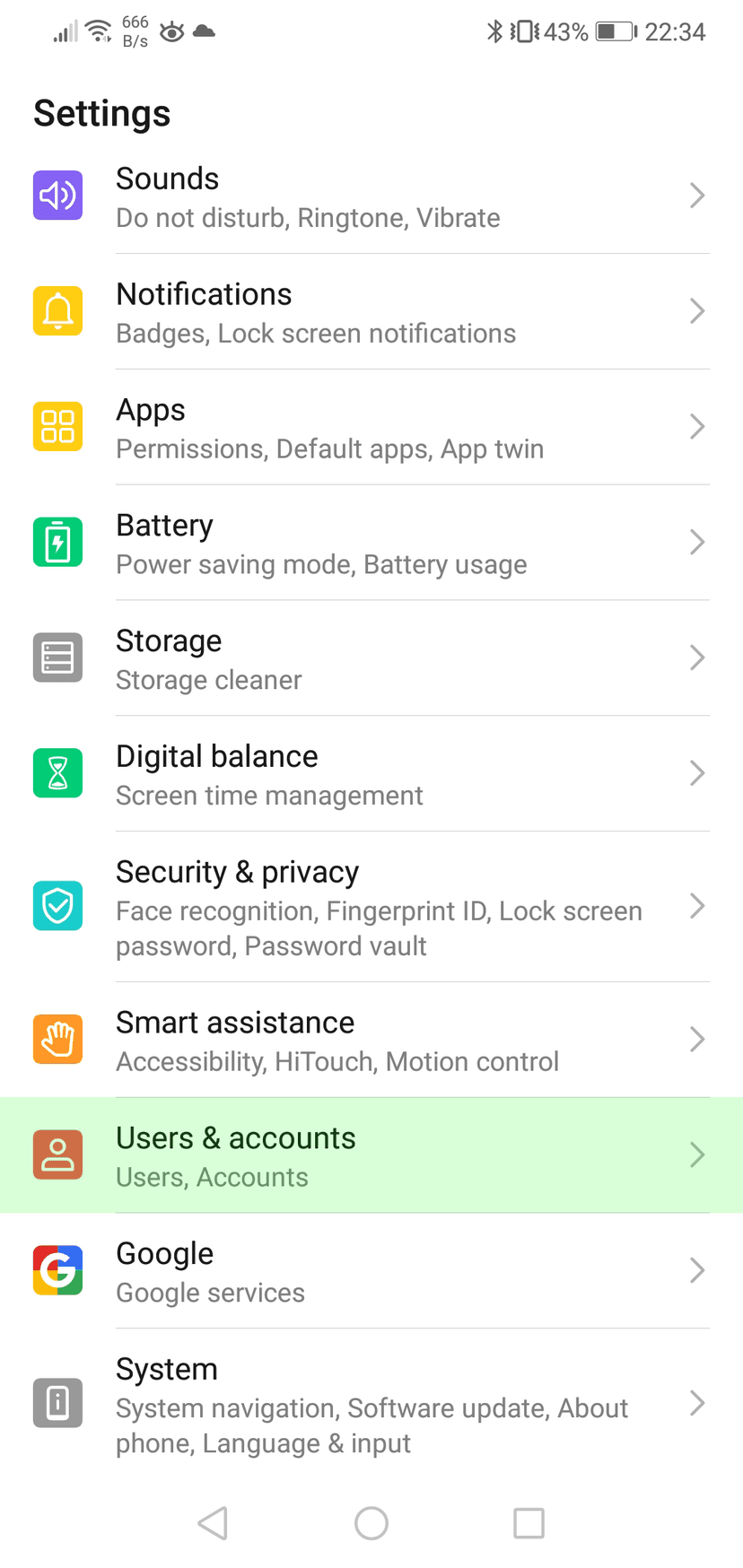
Instellingen
Instellingen

Open uw Instellingen en navigeer naar Gebruikers en accounts
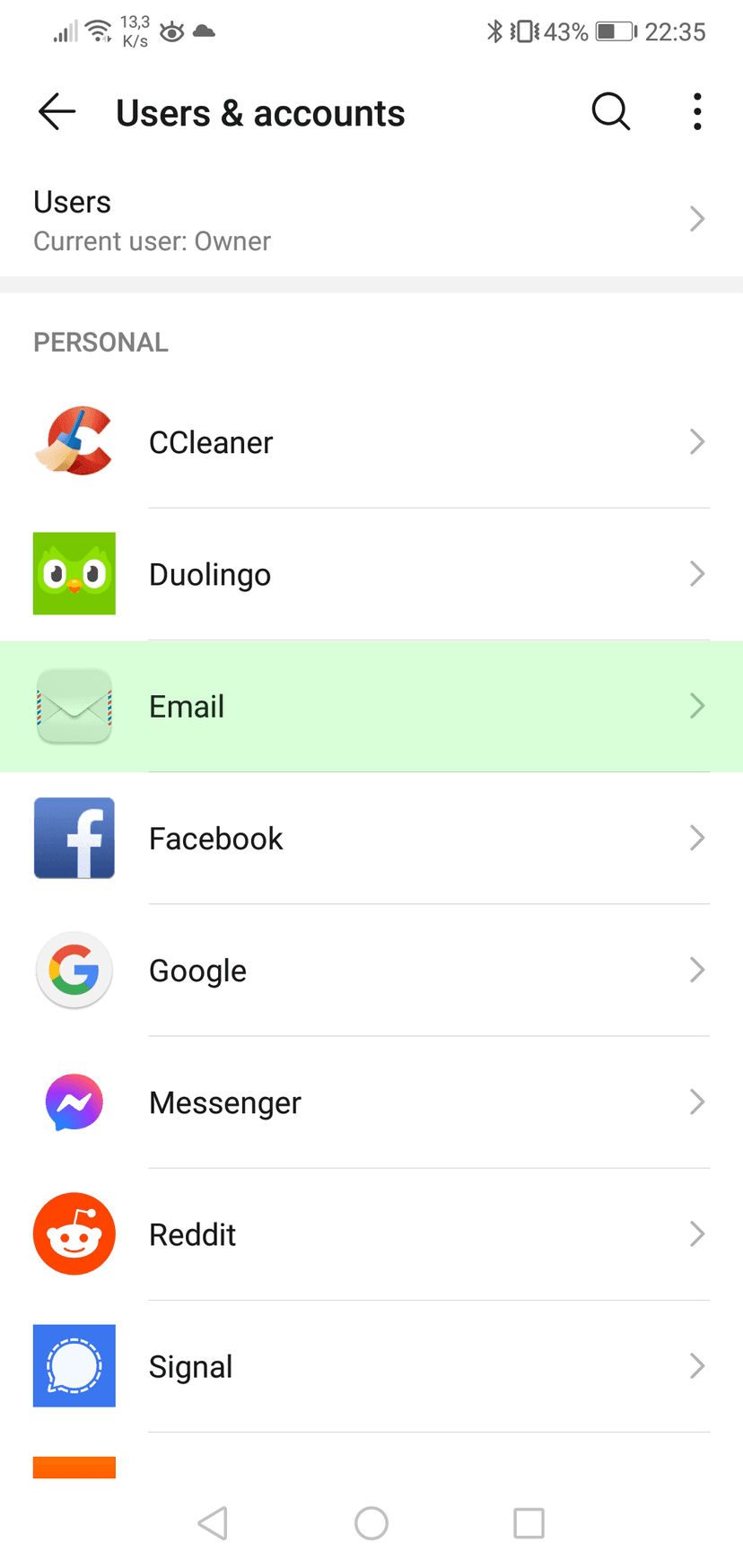
Gebruikers en accounts

Druk op Email
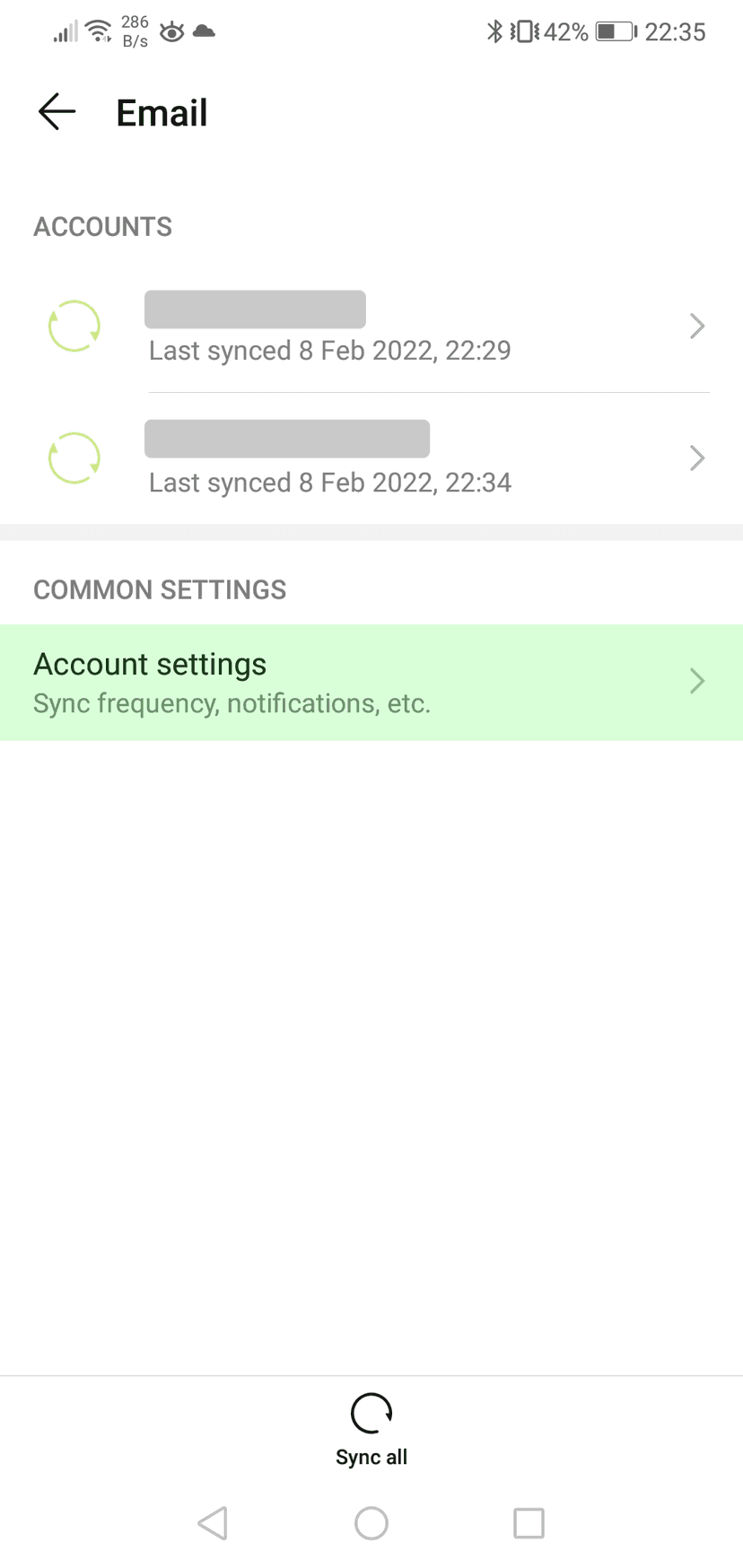
Email
Email

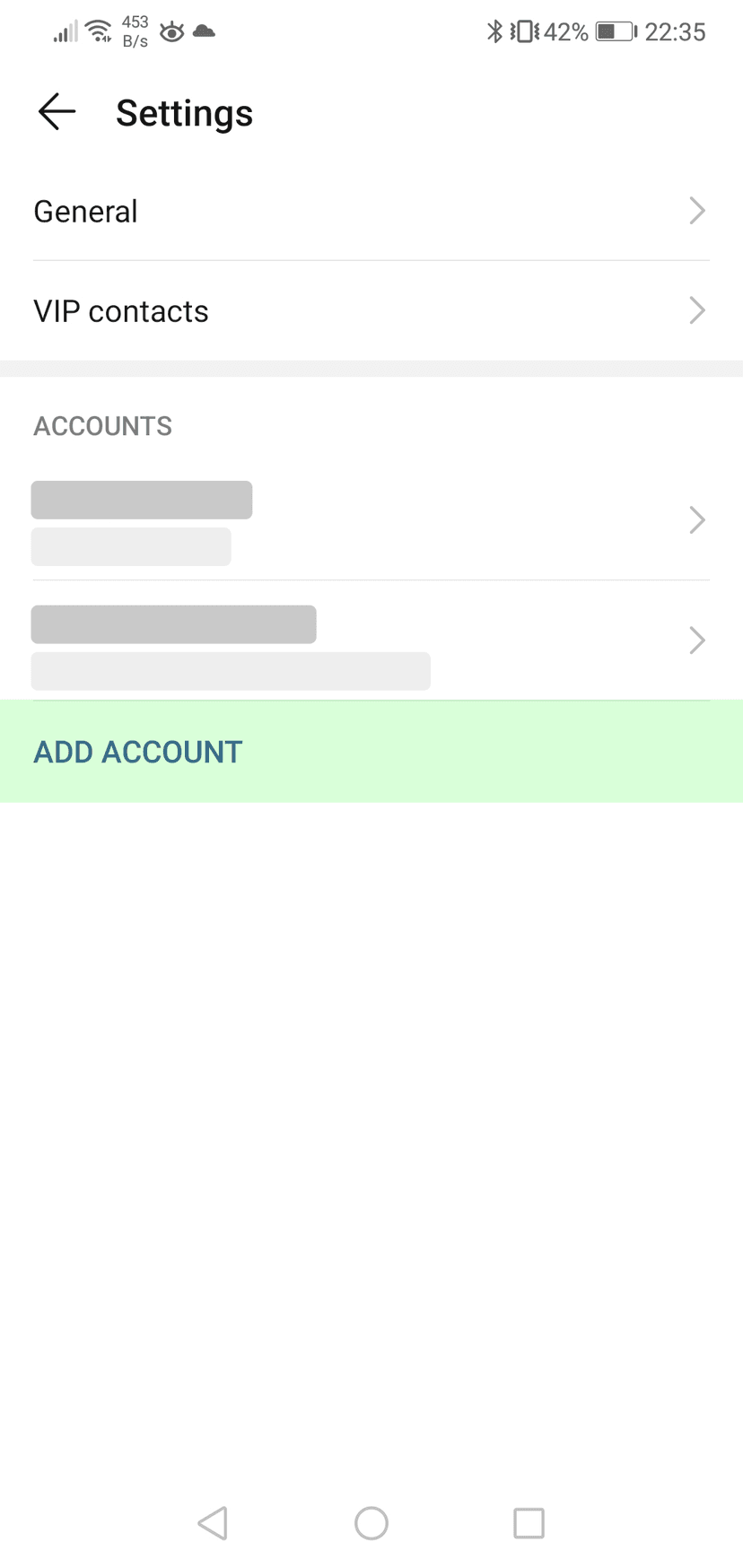
Druk op Account instellingen

Account instellingen

Druk op Voeg account toe

Instellingen
Instellingen

Open uw Instellingen en navigeer naar Mail

Mail
Mail

Druk op Accounts

Accounts
Accounts

Druk op Account toevoegen

Account toevoegen
Account toevoegen

Druk op Andere

Account toevoegen
Account toevoegen

Druk op E-mail account toevoegen

Nieuw account
Nieuw account

Geef uw account een naam en vul het e-mailadres en wachtwoord in


Druk op volgende

Nieuw account
Nieuw account

Vul de instellingen in voor zowel uitgaande en inkomende mail server.
Uw gebruikersnaam is uw e-mailadres


Druk op volgende

IMAP
IMAP

Druk op Opslaan

email_setup_outlook_note

Gebruik de server instellingen hierboven om uw e-mail account handmatig toe te voegen.

email_setup_mailbird_note

Gebruik de server instellingen hierboven om uw e-mail account handmatig toe te voegen.

email_setup_thunderbird_note

Gebruik de server instellingen hierboven om uw e-mail account handmatig toe te voegen.

email_setup_help_title

email_setup_help_subtitle

email_setup_help_cta